

5 mins read
 5 mins read
What Is Warehouse Management Software? Functions, Types, and How to Choose
5 mins read

Inaccurate stock records lead to delayed orders, wrong parcels, and refunds.
Many small businesses track stock in spreadsheets or notebooks until the numbers stop matching what is on the shelf.
Warehouse management software keeps one accurate record of what you have, where it is stored, and what has left.
This guide explains what warehouse management software is, what it does, the main types of systems, and how to choose one.
It is written for SME owners and online sellers who have outgrown spreadsheets.
What Is Warehouse Management Software?
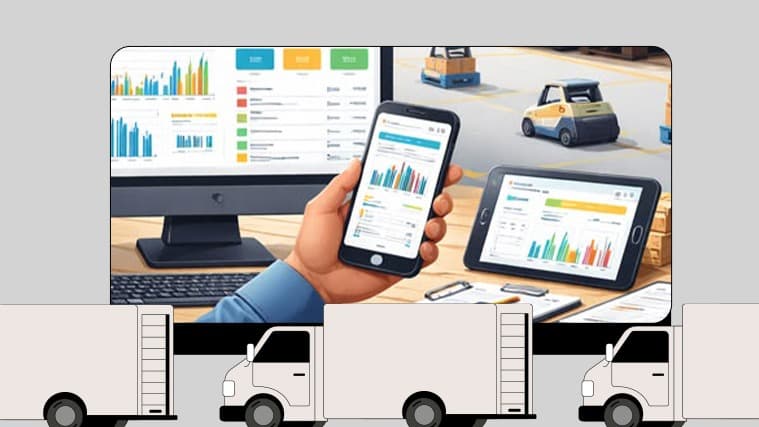
Warehouse management software, often shortened to WMS, records what comes into your warehouse, where it is stored, and what goes out.
Warehouse management is the wider practice of organising a storage space so orders are fulfilled quickly and correctly.
The software brings that practice into one system.
The core job of a warehouse management system is to record the arrival and departure of inventory, and the software can also track exact stock locations, make better use of space, and coordinate tasks.
It differs from basic inventory tools.
Inventory tools tell you how much you have.
Warehouse management software also tells you where it is and what should happen to it next.
Because the record is shared, any team member can find an item and pick it without asking one person.
What Are the Key Functions of a Warehouse Management System?
Whatever the brand, a warehouse management system usually supports the same journey for every item:
1. Receiving: log incoming stock and check it against what you ordered.
2. Put-away: give each item a storage location and record it.
3. Inventory tracking: keep live counts as stock moves in and out.
4. Picking: tell staff what to collect and where to find it.
5. Packing: confirm the right items go into the right parcel.
6. Dispatch: hand orders over for delivery and record that they have left.
7. Reporting: show what sells fast, what sits idle, and where errors happen.
Each step replaces assumptions with a clear record, which reduces picking and dispatch errors.
What Types of Warehouse Management Systems Can You Choose From?
1. Standalone Systems
These are built only for warehouse management. They tend to offer more depth, but you will need to connect them to your online store and accounting tools.
2. ERP Modules
Some business platforms include a warehouse module alongside finance, sales, and purchasing. This suits businesses already using that platform.
3. Cloud-Based Systems
These run online and are accessed through a browser or phone. The vendor handles maintenance, which helps teams working across more than one location.
4. On-Premise Systems
These are installed on your own servers. You get more control, but you also carry more upkeep.
If power cuts or unstable internet affect your operations, ask any vendor how the system behaves when the connection drops.
What Are the Benefits of Using a Warehouse Management System?
(a) One record replaces several spreadsheets.
(b) Staff spend less time searching shelves.
(c) You can see what is stored where and which stock is not selling.
(d) Counts and order updates happen as items move.
(e) You can tell what is packed, what is waiting, and what has left.
Correct orders leave sooner, so there are fewer "where is my order?" messages.
Read also: How warehouse distribution works
How Do You Choose the Best Warehouse Management Software?
1. Start with the process causing the most delays: Receiving, picking, and dispatch each need different things.
2. Size it to your business today: Count your products, storage locations, and daily orders. Do not pay for a warehouse you do not have yet.
3. Check integrations: Can it connect to your online store, accounting tools, and delivery partner?
4. Test it with your team: Staff will use it daily, so it must be easy to learn.
5. Ask about connectivity and support: Find out how it behaves offline and how quickly the vendor responds.
6. Ask for the full cost: Include setup, training, user fees, and support.
7. Run a trial first: Test it on a small part of your stock before switching everything.
Delivery is part of the connection in step three. Once an order is packed, it still has to reach the customer.
Our logistics API lets businesses send delivery orders to us, track progress, and receive status updates. Businesses without a website or API integration can use managed fulfilment instead.
Read also: Logistics automation software
You might be interested in these logistics courses if you are building skills for your team.
Frequently Asked Questions?
Is Warehouse Management Software the Same as Inventory Software?
No. Inventory software counts stock. Warehouse management software also directs how stock is received, stored, picked, and dispatched.
Do Small Businesses Need Warehouse Management Software?
Not always. If you carry a handful of products in one small space, a well-kept spreadsheet may do. Consider warehouse management software when stock errors, slow picking, or missed orders start costing you customers.
How Much Does Warehouse Management Software Cost?
It varies by vendor, number of users, features, and whether it is cloud-based or on-premise. Ask for written quotes and compare the full cost, not just the monthly fee.
Can Warehouse Management Software Connect to My Online Store?
Many systems can, usually through built-in integrations or an API. Confirm this with the vendor before you buy.