

 7 mins read
Think about the last time you needed to send money urgently.
Maybe your younger sister needed transport fare, your mum needed cash for food, or a friend was stranded somewhere and needed help.
The numbers tell the story clearly.
Nigeria processed 7.9 billion real-time transactions in 2024, making it Africa's top real-time payments market.
Electronic payment transactions hit an all-time high of ₦1.07 quadrillion that same year, a staggering 79.6% jump from the year before.
Digital wallets and instant transfer apps are quickly taking over.
And we are right in the middle of this shift.
In this guide, we focus specifically on one of our features, transferring money to family and friends, how it works, why it matters, and how to do it in seconds.
What Is Kwikpik?
Kwikpik is a smart payment wallet and logistics management system (LMS) that helps consumers, riders, and businesses schedule and automate bill payments, money transfers, last-mile delivery, food ordering, and everyday commerce using fiat and stablecoin.
We started primarily as a delivery and logistics platform, but have since grown into a comprehensive digital commerce and financial services platform.
Today, Kwikpik lets you:
(a) Order food, groceries, and farm produce
(b) Send and receive packages across Nigeria
(c) Pay utility bills (electricity, cable TV, airtime, data, internet, and more)
(d) Manage crypto and fiat payments
(e) Send and receive money instantly through your Kwikpik wallet
Kwikpik Money Transfer: What It Means and How It Works
Our money transfer feature allows you to move funds instantly from your wallet to another person; it doesn’t matter if they are a fellow Kwikpik user or a recipient with a standard Nigerian bank account. With Kwikpik, you can:
(i) Send money to anyone, anywhere in Nigeria
(ii) Receive money from friends, family, customers, or employers without delays
(iii) Use funds for bill payments, airtime, data purchase, delivery, and cable TV subscription
(iv) Transfer between Kwikpik accounts or to external bank accounts
People Also Read: How Kwikpik Helps Merchants in Nigeria Sell More, Get Discovered, and Deliver Faster
How to Set Up Your Kwikpik Account
Before you can transfer money on Kwikpik, you need to have an active account and a funded wallet. Here is how to get started:
1. Download the App: Search for "Kwikpik" on the Google Play Store (Android) or Apple App Store (iPhone) and download the app for free.
2. Create Your Account: Open the app and register with your phone number, email address, and basic personal details. You will be required to verify your identity through the KYC process. This is a standard requirement for all financial apps regulated in Nigeria.
3. Get Your Virtual Wallet Account Number: Once your account is set up, you’re automatically assigned a unique virtual account number linked to your wallet. This number can receive money directly from any Nigerian bank, just like a regular account number.
4. Fund Your Wallet: You need money in your Kwikpik wallet before you can transfer. There are three main ways to add funds:
How to Transfer Money to Family and Friends on Kwikpik
Once your wallet is funded, sending money is quick and straightforward.
Here is how to do it:
(i) Open the Kwikpik app on your phone
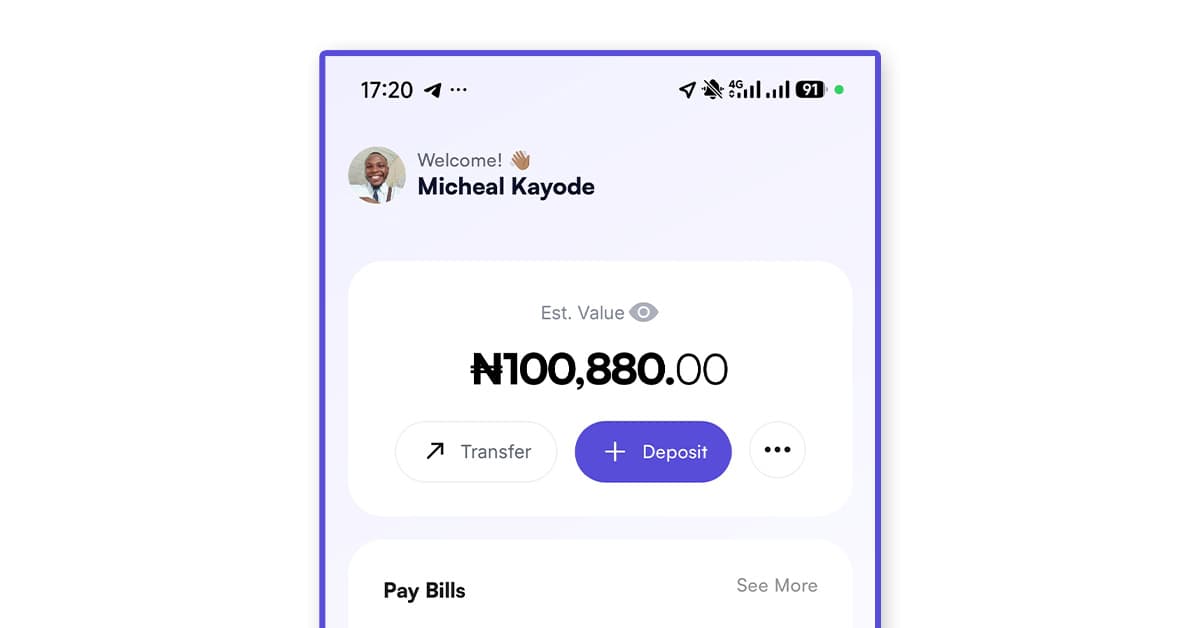
(ii) At the top of the homescreen, you’ll see your wallet balance.
(iii) Click the “transfer” option from the wallet menu
(iv) Select the mode of transfer (External transfer or Internal transfer)
Internal transfers are transfers between Kwikpik accounts; external transfers are to external bank accounts.
For External transfer:
Click on NGN (Nigerian Naira), enter the account number or beneficiary name, select the amount you want to transfer, then click send.
For Internal transfer:
Get the user's email, input it in the box, confirm the user, select the amount you want to transfer, then click send.
(v) The recipient gets the money almost instantly and receives a notification
Both sender and recipient get confirmation of the transaction, and a receipt is available within the app. The entire process takes less than a minute.
People Also Read: The Fastest, Smartest Way to Send Packages Within Lagos
Fiat and Crypto Transfers
One of the things that sets us apart from many payment apps is our ability to handle both regular naira (fiat) and cryptocurrency transfers from the same platform.
For most people sending money to family and friends, standard naira transfers are all they need.
But for users who hold crypto, HBAR, Bitcoin, USDT, or other digital assets, we provide a smooth way to swap cryptocurrencies for naira (and vice versa) and then use that value for everyday transfers.
This is particularly useful for:
(a) Freelancers and remote workers who receive payment in crypto and need to send naira to family
(b) Nigerians in the diaspora looking for flexible ways to send value home
(c) Anyone who wants to store value in digital dollars (stablecoins), while still being able to send local currency when needed
When to Use Kwikpik for Money Transfers
1. Sending upkeep to your parents in another state: You live in Lagos, and your parents are in Imo or Kano. You can open your Kwikpik app, select your mum or dad's details, type in the amount, and confirm. Done in under a minute.
2. Splitting a bill with friends: After a dinner outing or a group contribution (ajo), coordinating who owes what can be messy. We make it easy for friends to send each other money instantly right from the app.
3. Sending emergency money: Life happens. When someone needs urgent cash for the hospital, transport, or food, every minute counts. Our instant transfer means your person gets the money in seconds, not hours.
4. Supporting a student in school: If you have a younger sibling or child studying away from home, you can just make a smooth transfer using Kwikpik. Set up their details once and top them up whenever they need it.
5. Paying a vendor or small business: Small business owners, market traders, and artisans can receive payment directly into their Kwikpik wallet,
Is Kwikpik Safe to Use for Money Transfers?
Safety is a legitimate concern when it comes to sending money through any app.
Our financial services are powered by Nombank, which is fully regulated by the Central Bank of Nigeria (CBN) and insured by the Nigeria Deposit Insurance Corporation (NDIC).
That means your money inside our ecosystem is protected under the same framework that governs traditional banks in Nigeria.
Also, all users are required to verify their identity before accessing financial services.
This reduces fraud and ensures only real, verified people are sending and receiving money on the platform.
People Also Read: How to Automate Your Bills in Nigeria
How to Check Your Transaction History on Kwikpik
After sending money, you can always verify the transfer.
Open the app, on the homepage, scroll down, and you’ll see all the transactions you’ve done.
You can tap on any transaction to see the full details, amount, recipient, date, and status
You also receive an in-app notification and email confirmation for every successful transfer.
Tips to Transfer Money Smoothly on Kwikpik
1. Always confirm recipient details before sending: Once a transfer is processed, reversing it may not be straightforward. Double-check the phone number or account number before hitting confirm.
2. Keep your wallet funded: Set a reminder to top up your Kwikpik wallet regularly, especially if you send money frequently, so you never find yourself unable to help someone in an emergency.
3. Use the referral programme: The more people in your family and social circle who are on Kwikpik, the faster and easier transfers become, and you earn reward points for every successful referral.
4. Enable app notifications: Turn on push notifications so you instantly know when someone sends you money or when your transfer is confirmed.
Frequently Asked Questions
Can I send money to someone who is not on Kwikpik?
Yes. Kwikpik supports transfers to external Nigerian bank accounts. You do not need the recipient to be a Kwikpik user to send them money.
Is there a limit on how much I can transfer?
Kwikpik applies transaction limits in line with CBN regulations. These limits may vary based on your KYC level (tier). Completing full KYC verification typically gives you access to higher transaction limits.
How long does a transfer take?
Transfers between Kwikpik wallets are almost instant. Transfers to external bank accounts arrive within a few minutes, though processing times may occasionally vary.
Are there transfer fees?
Transfer fees and applicable charges are disclosed within the app. Always check current fees before confirming a transaction.
What should I do if my transfer fails or gets stuck?
If a transaction does not go through as expected, check your internet connection and wallet balance first. If the issue persists, contact our in-app customer support for assistance.