

 6 mins read
Imagine you are at a restaurant in Lagos.
The food is ready, your table is set, and you reach for your wallet only to realise you forgot it at home.
The restaurant POS terminal is down, and you’re asked to either pay with cash or transfer.
You have your ATM card with you, but the nearest ATM is three streets away, and you barely have cash on you.
Frustrating? Very.
It's embarrassing, too.
And in situations like this, Nigerians are learning to avoid them entirely.
In this guide, we break down everything you need to know about paying for goods and services using Kwikpik.
What Is Kwikpik and Why Does It Matter for Payments?
Kwikpik is a smart payment wallet and logistics management system (LMS) that helps consumers, riders, and businesses schedule and automate bill payments, money transfers, last-mile delivery, food ordering, and everyday commerce using fiat and stablecoin.
Our platform is built for Nigerians to use daily to manage their deliveries, bills, and money.
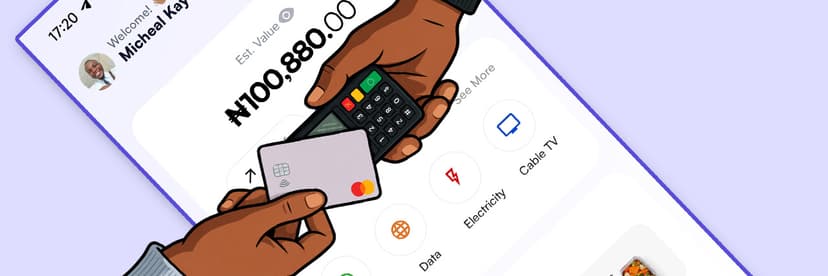
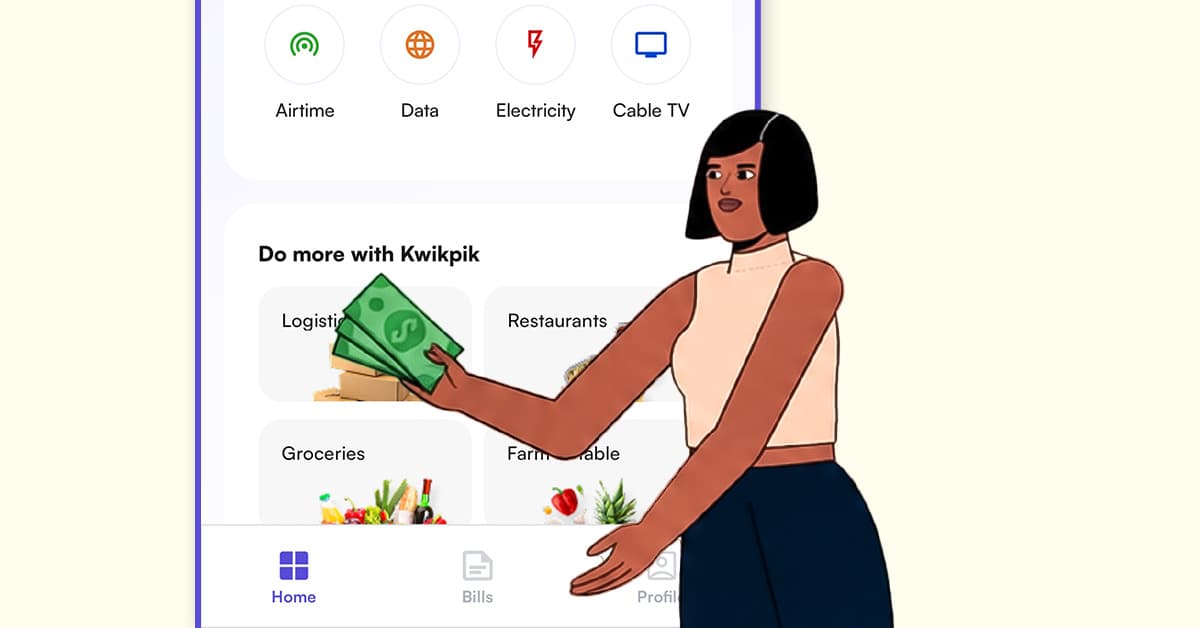
Our app is powerful for payments, and you can pay in multiple ways, for multiple categories of goods and services, from the app.
It doesn’t matter if you are buying groceries, paying your electricity bill, subscribing to DSTV, or paying a local vendor; we’ve got you covered.
Our financial infrastructure is backed by Nombank, which is fully regulated by the Central Bank of Nigeria (CBN) and insured by the Nigeria Deposit Insurance Corporation (NDIC).
This means every naira that passes through your Kwikpik wallet is protected under Nigeria's official financial regulatory framework.
Ways Kwikpik Lets You Pay for Goods and Services
1. Electricity Bills
Kwikpik supports major electricity distribution companies, including Ikeja Electric, EEDC, PHED, and others. It doesn’t matter if you are buying prepaid tokens or settling a postpaid balance; you can do it directly from your wallet without visiting any office.
2. Cable TV Subscriptions
DStv, GOtv, and Startimes subscriptions can all be renewed through Kwikpik. If you have ever experienced the Sunday night panic of realising your DStv is disconnected right before a big match or show, our bill payment feature is the solution. Pay in under 30 seconds, and your subscription is back on.
3. Airtime and Data Top-Up
Buy airtime and data for yourself or anyone else across all Nigerian networks directly from your Kwikpik wallet. No need to find an airtime vendor or top up through a bank app.
4. Money Transfer
For those who send money across to family, friends, or business partners, you can use kwikpik for all your bank transfers, all within the app.
5. Deliveries
You can fund your wallet and make use of the app for pickup or drop-off. All you have to do is select the location of the products, enter your address and other information, and book a delivery. Voila! A rider will deliver it to for you/to you.
6. Food and Groceries
With our new feature, you can order food and groceries from our merchants directly on the app. The Kwikpik merchants are those who want more visibility for their products; they are listed on the app, so you can order directly without the stress of searching for them.
All bill payments on Kwikpik are processed instantly and come with receipts.
We also introduce a feature that traditional bill payment platforms lack: automated bill scheduling.
You can set up your electricity, data, cable TV, or any recurring subscription once, and Kwikpik pays them for you automatically, right on time, every time, so you never get disconnected again.
How to Pay for Goods and Services on Kwikpik
Getting Started
1. Download the Kwikpik app from the Google Play Store or Apple App Store
2. Create your account using your phone number, email address, and personal details
3. Complete KYC (identity verification) to unlock full payment capabilities
4. Fund your wallet via bank transfer to your unique Kwikpik account number
Paying a Bill
1. Open the Kwikpik app and tap on "Bills" or the payment section
2. Select the bill category (electricity, cable TV, airtime, data, etc.)
3. Enter the relevant details (meter number, smartcard number, phone number)
4. Enter the amount
5. Confirm and pay from your wallet
6. Receive an instant receipt via notification and email
Paying for Food or Groceries
1. Open Kwikpik and browse the marketplace
2. Select your preferred restaurant or grocery store
3. Add items to your cart
4. Proceed to checkout
5. Track your delivery in real time
The Automation Advantage to Never Miss a Payment Again
One of the most underappreciated features of our payment system is the bill automation capability.
This is described directly on the platform.
You set up your electricity, data, or subscriptions once, and your bills are automatically paid at the scheduled date and time without your input.
For Nigerians, especially working professionals, business owners, and anyone managing a household, this makes it convenient for you because:
Missed NEPA payments result in disconnection.
A forgotten DStv subscription means no TV for the weekend.
Expired data means you are stranded offline.
Most Nigerians forget these things not because they do not care, but because they are busy.
What Makes Kwikpik Different from Other Payment Apps
1. It combines payments with a full marketplace
Most payment apps let you pay, but Kwikpik also lets you buy.
You can order food, groceries, and farm produce all within the same app, pay immediately, and get it delivered.
That is a level of integration that goes beyond what most standalone payment apps offer.
2. It supports both naira and crypto
While most Nigerian payment apps are purely naira-based, Kwikpik lets you pay using digital assets and stablecoins.
In a country where the naira's purchasing power has been under sustained pressure, having access to dollar-denominated payment options inside a local app is a significant advantage.
3. It automates recurring payments
No other mainstream Nigerian payment app offers the level of bill automation that Kwikpik does.
Once you set up automation, your bills pay themselves.
Conclusion
Paying for goods and services in Nigeria no longer has to mean embarrassment of fumbling for cash you don't have.
We give you the flexibility of paying your electricity bills, cable TV subscriptions, airtime and data, money transfers, deliveries, food, and groceries together in one wallet, so a single app can carry you through an entire day of payments without friction.
Our automated bill scheduling means your electricity, data, and subscriptions renew themselves.
We also have support for both naira and stablecoins, which means your money holds its value, and because every transaction runs through CBN-regulated, NDIC-insured infrastructure via Nombank, you get all of this without trading away security for convenience.
If you're tired of juggling five different apps just to keep your lights on, your phone connected, and your fridge stocked, it's time to let one app handle it.
Download Kwikpik, fund your wallet, and experience what stress-free payments actually feel like.