

 6 mins read
Sending a package often means calling rider after rider, agreeing on a price by message, repeating the address twice, and then phoning for updates until the item arrives.
A dispatch rider app replaces that back-and-forth with one place to request, track, and confirm a delivery.
It is a mobile app that connects people who need items delivered with riders who can deliver them, and it adds structure to a service that has traditionally run on personal contacts and word of mouth.
At Kwikpik, those services run on two apps.
A delivery app that senders use to book, and a rider app that riders use to accept and complete each order.
Because the two apps do different jobs, it helps to understand what each one does and how they connect.
This guide explains how both apps work, how to become a Kwikpik rider, which features to look for in each app, and how your package is protected.
What Is a Dispatch Rider App?
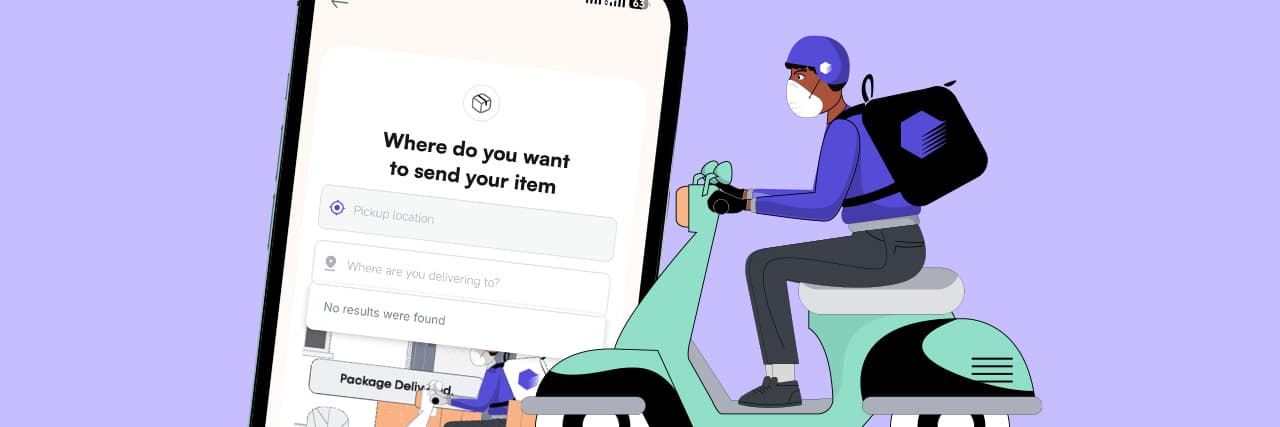
A dispatch rider app lets a sender enter a pickup address and a delivery address, choose a delivery option, and request a rider.
The rider receives the request on their own phone, accepts it, collects the package, and delivers it to the recipient. Both sides can follow the order from the app instead of relying on phone calls.
In Nigeria, dispatch riders usually handle same-city and nearby deliveries: parcels from online stores, documents, gifts, food orders, and items moving between businesses.
The app adds structure to a service that has traditionally run on personal contacts and word of mouth.
If you want a closer look at how delivery rider apps are used across the country, read our guide to the delivery rider app in Nigeria.
What Features Should a Good Dispatch Rider App Have?
1. Verified Accounts
Riders sign up and upload the required documents before they can take any request. This is what makes rider verification real for senders.
2. Clear Requests and Pricing
New dispatch requests appear on the homepage, and the rider can accept or reject each one. After accepting, the rider sees the pickup and delivery addresses and the sender and recipient details.
3. Live Order Tracking
A map guides the rider to each address, and taps such as "I have arrived" and "Start Delivery" record every stage of the trip. These steps are what feed the tracking senders see.
4. Proof of Delivery
The rider enters the recipient's code, hands over the package, and completes the delivery in the app. Nothing is marked delivered until the right person has it.
5. Delivery Protection Options
Some items are too valuable to move without cover. Check whether the app offers an optional insurance add-on for goods in transit, and read what it covers.
6. Responsive Support
A dispatch rider app is only as good as the help available when something goes wrong. Find out how to reach support and what happens if a delivery is delayed or disputed.
Also Read: Delivery Mistakes: 9 Types You Should Know
How Is the Price of a Dispatch Rider App Delivery Worked Out?
Prices vary between providers, so it is better to understand what drives the cost than to expect a fixed rate.
Most app pricing is influenced by the distance between pickup and delivery, the size and weight of the package, how urgent the delivery is, and the areas involved, since traffic and access differ across a city.
Use the app's price estimate before booking, and compare it with what you would otherwise pay by arranging a rider yourself.
For a deeper breakdown of what affects delivery pricing, read delivery costs in Nigeria.
Is Your Package Protected When You Use a Dispatch Rider App?
Sending a package through a dispatch rider app is fast and convenient, but a lot can happen between pickup and delivery.
So, is your parcel actually protected?
The answer depends on the platform you use and the steps you take.
But with Kwikpik, your package is protected and safe.
We also offer goods-in-transit insurance for your packages.
Our guide to delivery insurance explains how this type of cover works and when it makes sense.
Is a Dispatch Rider App the Right Choice for Your Deliveries?
A dispatch rider app is worth using when you want fewer phone calls, clearer records, and more confidence that a package reaches the right person.
If you are ready to move orders without chasing updates, explore our logistics tools for your business.
If your business needs a reliable way to move orders to customers, we offer delivery tools built around the points above.
Riders complete registration and KYC before they take requests, receive order details with pickup and delivery addresses in the app, and use a recipient code to confirm handover.
To start receiving orders, download our rider app today.
How to Become a Kwikpik Rider
Becoming a Kwikpik rider starts in the rider app, which is separate from the delivery app senders use.
1. Download the rider app: Install the Kwikpik rider app, not the delivery app, because the two serve different users (the delivery app is used by senders who want their packages delivered, and the rider app is used by the dispatchers).
2. Sign up as a rider: Create your rider account with your details.
3. Complete KYC: Upload the required documents so your identity can be verified.
4. Get verified: Once your details pass the checks, your account is ready to take requests.
5. Receive and accept requests: New dispatch requests appear on the app's homepage. You can accept or reject each one.
6. Complete your first delivery: Pick up the package and deliver it to the recipient.
The KYC step is what gives senders confidence in the rider who collects their package.
It also protects you, because every delivery you complete is recorded in the app.
See also: How to send packages within Lagos
Frequently Asked Questions
Can I Use a Dispatch Rider App Without Having a Website?
Yes. A dispatch rider app works from your phone, so you can request deliveries without an online store.
With Kwikpik, businesses can also use a managed delivery process, where orders are passed to the team through an agreed channel, and fulfilment is coordinated for you.
How Do I Become a Rider on a Dispatch Rider App?
You register in the app and complete KYC by uploading the required documents. Once verified, you can receive dispatch requests and choose to accept or reject each one.
Is a Dispatch Rider App Safer Than Hiring a Rider Directly?
It can be, depending on the app. Rider verification, recorded order details, tracking, and proof of delivery add a layer of accountability that a phone-call arrangement does not have.