

 7 mins read
If you are reading this on your phone right now, there is a good chance you are already on the MTN network.
MTN Nigeria currently has over 94 million active subscribers, representing a commanding 51.78% of the entire Nigerian GSM market, meaning roughly one in every two Nigerians with a SIM card uses MTN.
That kind of dominance does not happen by accident.
Data usage in Nigeria has been rising sharply.
Average monthly data consumption per subscriber jumped by 20%, that’s 13.1 GB per month, driven by the growth of smartphones, digital banking, video streaming, and social media.
MTN has been riding this wave aggressively; its data revenue shot up by 73.2% to ₦1.98 trillion in 2025, reflecting just how central internet access has become to everyday Nigerian life.
With such massive reach and a wide variety of plans from ₦75 daily to 800GB yearly mega-plans, understanding how to properly buy and maximise your MTN data bundle is something every Nigerian internet user needs to know.
What Is an MTN Data Bundle?
An MTN data bundle is a prepaid internet package that gives you a fixed amount of mobile data, measured in megabytes (MB) or gigabytes (GB), at a set price, valid for a specific period.
Once you subscribe to a bundle, you use your allocated data to browse the internet, stream videos, use social media apps, make video calls, send emails, and more.
Unlike Pay-As-You-Go browsing (where MTN charges ₦3.07 per MB every time you go online), a data bundle locks in a much cheaper rate upfront.
For example, MTN's monthly bundle gives you 2GB for ₦1,500, which works out to roughly ₦0.73 per MB, more than four times cheaper than browsing without a bundle.
People Also Read: How to Borrow Airtime on Airtel
How to Buy MTN Data Bundle: 5 Easy Methods
1. USSD Code
This is the method most Nigerians use because it works on any phone and does not require mobile data or Wi-Fi.
Step 1: Dial *312# on your MTN line
Step 2: Select your plan category (Daily, Weekly, Monthly, etc.)
Step 3: Choose your preferred data size and price
Step 4: Confirm your selection
Step 5: You will receive an SMS confirming your bundle is active
You can also dial *312*1# to go directly to the data subscription menu, skipping the main service options.
To activate specific plans directly without going through the menu, text the plan code to 312.
For example, text 106 to 312 to get the 2 GB monthly plan for ₦1,500.
2. MyMTN App
The MyMTN app is MTN's official mobile application available on both the Google Play Store and the Apple App Store.
It sometimes offers bundles that are not available via USSD, including the 1 GB Smart Bundle for ₦200 (a daily digital-only plan only accessible through the app).
How to get the app:
Text myMTN to 5018, and MTN will send you the download link
Or search "MyMTN" on the Google Play Store or Apple App Store
Once downloaded, log in with your MTN number, navigate to the "Data" section, and buy your preferred bundle directly from the app.
3. MTN Website
You can also purchase data bundles directly from MTN's official website at mtn.ng.
Navigate to the Data Plans page, select your preferred bundle, and complete payment using your debit card or MoMo (MTN Mobile Money) wallet.
4. Use Kwikpik
1. Download the Kwikpik app from your Play Store or App Store.
2. Create an account.
3. Once done, on the homescreen, click on “data”.
4. Next, select “MTN, Your phone number, and a data plan”.
5. After inserting all the details, click on “Continue to Payment.”
6. Confirm the transaction by using your transaction code or biometrics data (fingerprint).
7. You’ll receive your purchased data.
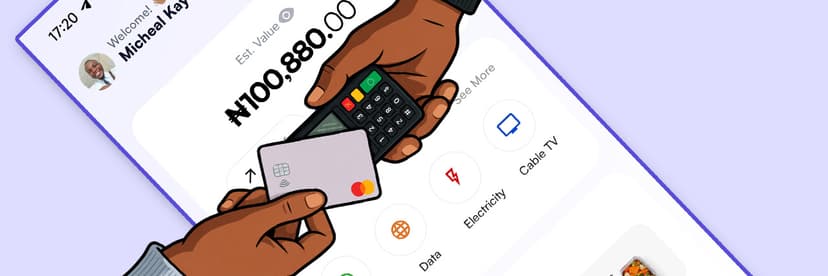
With Kwikpik, you can buy airtime and data, pay bills, and subscribe to your cable TV.
The best part is that you can send and receive money through Kwikpik, and also make us your delivery partner, as we offer delivery services.
People Also Read: How to Subscribe to 9mobile Data on Kwikpik
How to Check Your MTN Data Balance
After buying your bundle, you will want to keep track of how much data you have left. Here are the ways to check:
Dial *312*4# and wait for SMS alerts
Understanding Auto-Renewal, One-Off, and Buy for a Friend
When you activate an MTN data bundle, you may see a pop-up asking you to choose one of three options:
1. Auto-Renew: Your data bundle automatically renews when it expires, as long as you have enough airtime in your account. Great if you do not want to forget to recharge.
2. One-Off Purchase: Your bundle expires at the end of the validity period and does NOT automatically renew. Good if you want full control of your spending.
3. Buy for a Friend: You can purchase a data bundle for someone else's MTN line using your own airtime. Very useful for sending data as a gift or helping a family member.
How to Set Up Auto-Subscription on Kwikpik
Follow through from steps 1 to 4 (on how to buy data with Kwikpik).
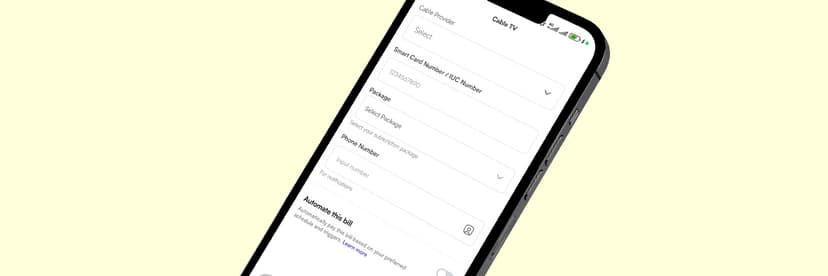
8. Once done, you’ll see an “Automate this bill” toggle; click it on.
9. After toggling it on, you’ll see a drop-down that reads “Trigger type”; click on it.
10. Next, select how you want the automation to run, either “frequency-based” [set up recurring payments (daily, weekly, monthly)] or by custom order, which is to schedule at a specific “date and time”.
(a) For frequency-based, after you’ve selected it, click the “drop-down" and select how you want the frequency. Do the same for the day of the month you want.
(b) For custom order [date and time], select the date and time of your choice.
11. Finally, after selecting any of the automations of your choice, click "Save” to save your automation.
💡 Note: Don’t click on “continue to payment” if you don’t intend to make any purchase, else you'll be debited.
People Also Read: How to Share Airtime on GLO
What Happens When Your MTN Data Runs Out?
If you exhaust your data bundle before it expires, MTN will not automatically cut off your internet access. Instead, the network switches you to Pay-As-You-Go browsing at ₦3.07 per MB, which can drain your airtime very quickly.
To avoid surprise deductions, you can:
(i) Buy another bundle immediately by dialling *312*1#
(ii) Borrow data from MTN by dialling *303#
(iii) Automate your payment with Kwikpik so it tops up at your scheduled date and time.
Conclusion
Buying data bundles on MTN in Nigeria is straightforward once you know the right codes and methods.
The key is choosing a plan that actually matches how you use the internet, not just the cheapest one available.
A ₦1,500 monthly bundle sounds affordable, but if you stream a lot and run out in the first week, you end up spending more than someone who bought a ₦4,500 plan upfront.
MTN's network continues to grow, now covering over half the country's mobile subscribers.
Even if you dial *312#, use the MyMTN app, or buy through Kwikpik, the process takes less than a minute.
Use this guide to subscribe smarter, spend less, and stay connected without interruption.
Frequently Asked Questions
Can I share my MTN data with family members on Kwikpik?
Yes. Kwikpik allows data gifting; all you need to do is input the person’s number and subscribe to the data of your choice.
Does unused MTN data roll over?
MTN data does not automatically roll over. However, if you renew the same plan before it expires, any remaining data may carry over. Always check the terms for the specific plan you are on.
What if my USSD code is not working?
Try again after a few minutes; network congestion can cause temporary delays.
Is there unlimited data on MTN?
MTN does not currently offer a truly unlimited data plan. Its "Always-On" plans provide large capped daily allocations (for example, 45 GB for ₦9,000 with daily limits of 1.5 GB for 30days), while its yearly Mega Plans go up to 800 GB.