

 7 mins read
Businesses that manage deliveries through phone calls, spreadsheets, and separate messaging groups often lose track of orders, riders, and customer updates.
A logistics platform addresses this by bringing the main parts of moving goods into one system.
A logistics platform is a digital system that connects the people and processes involved in moving goods from sender to recipient, including order intake, dispatch, tracking, and reporting.
This guide explains what a logistics platform is, the main types, the operations it carries out, its benefits, and how to choose the right one.
What Is a Logistics Platform?
A logistics platform is software that lets a business create, manage, and monitor the movement of goods from one place.
Instead of coordinating each pickup and delivery manually, the business works from a single system that records the order, assigns it for fulfilment, and shows its progress until it reaches the customer.
Depending on the logistics platform, it may serve different users at once.
Senders place and monitor orders, dispatchers assign and route them, drivers or riders receive and complete them, and customers receive updates.
Some platforms cover only delivery; others extend to warehousing, freight and documentation.
A logistics platform is different from a physical hub.
A logistics centre is a place where goods are stored, sorted, and dispatched, while a logistics platform is the digital layer that coordinates what happens in and between such places.
What Types of Logistics Platforms Are There?
1. Delivery and Last-Mile Logistics Platforms
These platforms focus on getting parcels and orders from a seller or hub to the customer's address. They support on-demand and scheduled deliveries, rider assignment, and delivery tracking. They suit online sellers, retailers, and restaurants that send many small orders.
2. Freight and Transport Marketplaces
A freight marketplace connects businesses that need to move large loads with transporters that have capacity. The logistics platform handles matching, quotes, and booking. This model is common for bulk goods, agricultural produce and inter-state haulage.
3. Transportation Management Platforms
A transportation management platform helps companies with their own fleets or several carriers to plan routes, compare options, and manage dispatch. It is more common in larger businesses with regular, high-volume movements.
4. Warehouse and Fulfilment Platforms
These platforms manage stock, storage, picking and packing, and connect that activity to outbound delivery. They are useful when inventory handling and delivery need to run together.
5. API-Based Logistics Platforms
An API-based logistics platform allows a business to connect its website, store, or internal system directly to a delivery provider. Orders flow in automatically, and status updates flow back without manual re-entry.
6. Cross-Border Logistics Platforms
Businesses that import or export goods need support with international movement, including routing and documentation. A cross-border logistics platform coordinates these steps across countries.
What Operations Does a Logistics Platform Carry Out?
1. Order Capture and Processing
Orders enter the system through a form, an app, a website integration, or an agreed operational channel. Pickup and delivery details are recorded once, which reduces repeated data entry and errors.
2. Dispatch, Assignment and Routing
Once an order is created, the logistics platform assigns it to a rider, driver, or carrier and, where supported, suggests a route. This reduces the time spent calling around to find available riders.
3. Tracking and Status Updates
Senders and customers can see where an order is and what stage it has reached. Status changes such as picked up, in transit, and delivered are recorded automatically, so fewer people need to ask for updates.
4. Warehouse and Inventory Coordination
Platforms with warehousing features record stock levels, locations and movements. This helps businesses avoid dispatching items they no longer have.
5. Documentation, Payments and Reporting
A logistics platform keeps a record of orders, delivery proofs and costs. Over time, this data shows which routes are slow, which deliveries fail, and where costs are rising.
Where processes are repetitive, logistics automation software can handle many of these steps with little manual input.
Why Does Nigeria Need a Logistics Platform?
Delivery in Nigeria involves practical constraints, including traffic, address accuracy, and long distances between cities.
Nigeria ranks 88th on the World Bank's Logistics Performance Index, a position the U.S.
International Trade Administration links to infrastructure deficits, flawed policies and high operating costs.
A logistics platform cannot repair roads.
It can, however, reduce the avoidable problems around them: unclear pickup details, unassigned orders, missed updates, and customers who cannot tell where their package is.
For businesses selling online, those avoidable problems often cause more complaints than the journey itself.
What Are the Benefits of Using a Logistics Platform?
1. Orders are recorded and assigned in one system, so staff spend less time on repeated calls and messages.
2. Tracking shows where each order is and what should happen next. This helps a business answer customer questions quickly and spot delays early.
3. With assignment handled in the logistics platform, the business no longer has to find and brief riders for each order.
4. Customers who receive clear updates are less likely to contact support. A predictable delivery process also supports repeat orders.
5. A platform handles ten orders much as it handles a hundred. This means a growing business can add volume without rebuilding its delivery process each time.
6. Records of delivery times, failed deliveries, and costs help a business improve its operations based on evidence rather than guesswork.
How Do You Choose the Right Logistics Platform?
1. Define your delivery needs: Note the number of orders, the locations you serve, and whether deliveries are on-demand, scheduled, or both.
2. Check coverage: Confirm the pickup and delivery locations the provider supports, and ask for this in writing.
3. Review integration options: Find out whether the platform connects to your website or system, or whether it offers a managed process for businesses without one.
4. Look at tracking and updates: Confirm what status information you and your customers will see.
5. Ask about support: Find out who handles failed deliveries, delays, and disputes.
6. Understand the costs: Ask how pricing is calculated and what extra charges may apply.
7. Start small: Test the logistics platform with a limited batch of orders before moving all deliveries onto it.
If some of these terms are new, the logistics glossary of 50 delivery terms explains them in plain language.
How Does Kwikpik Fit Into Your Logistics Platform Strategy?
(a) API-enabled fulfilment
This suits businesses that want delivery built into their website or system.
Through our logistics API, a business can send delivery orders to Kwikpik, which handles fulfilment from pickup to delivery.
Depending on the approved implementation, this includes creating delivery requests, tracking delivery progress, and receiving status updates.
(b) Managed fulfilment
This suits businesses without a website or technical integration.
Orders are shared through an agreed operational channel, and our team coordinates fulfilment.
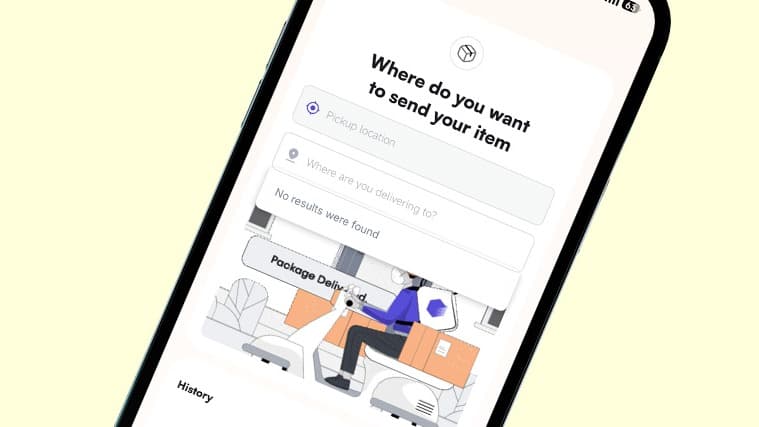
Our in-app on-demand delivery feature is also intended to let users enter pickup and delivery details, view pricing, request a delivery, and track it in the app.
What Should You Do Next?
A logistics platform gives a business one place to create orders, assign them, track them, and review what happened.
The best choice depends on the business's order volume, coverage needs, and level of technical integration.
Start by identifying the delivery process that causes the most delays, then test a logistics platform against it.
To see how this could work for your orders, explore our logistics tools for your business.
Frequently Asked Questions
Is a Logistics Platform the Same as a Transportation Management System?
Not exactly. A transportation management system focuses on planning and managing transport, often for companies with their own fleets. A logistics platform is broader and may include dispatch, tracking, warehousing, and customer updates.
Do I Need a Website to Use a Logistics Platform?
Not always. Some providers support managed processes where orders are shared through an agreed channel. Kwikpik, for example, supports both API-enabled and managed fulfilment.
Can Small Businesses Use a Logistics Platform?
Yes. Small businesses often benefit early because manual coordination takes up a larger share of their time. Starting with a small batch of orders is a practical way to test fit.
How Much Does a Logistics Platform Cost?
Costs depend on the provider, the service type, distance, and order volume. Ask for a clear breakdown of delivery charges and any additional fees before committing.